
Grab your coffee and favorite snack, throw on some chill music, and let me tell you about the little Sunday experiment that reaffirmed to me that dev, as we know it, is dead. Well, I wouldn’t call it dead exactly — it’s evolving into something new.
Read on to find out how and why.
The Setup
I’ve been running Pi-hole for ad-blocking for a while now. It’s one of those tools that quietly does its job in the background, keeping my internet traffic clean of ads. One day while contemplating the mysteries of life (yes, that’s what I do when I’m not developing), it hit me: there’s an API for this ad-blocker.
That got me thinking — what if I could display those stats on my Raspberry Pi and not have to visit the Pi-Hole dashboard each time to see them?

I had previously ordered and attached a 1.3″ OLED display to one of my Raspberry Pi 4 devices and thought this is where I wanted to see the ad-blocker stats. Could I accomplish this just by vibe coding my way through? Without writing any lines of code? By using just natural language prompts?
Now you should note that outside of vibing, I have never coded Python before. I don’t know the syntax, I don’t know the libraries. My only “skill” here was articulation — describing what I wanted clearly enough so that the agent could build it for me.
The Experiment
I started at 1500. By 1600, I had a complete application.
After I had outlined the tasks and overall project scope, I prompted my way through it, using simple prompts like:
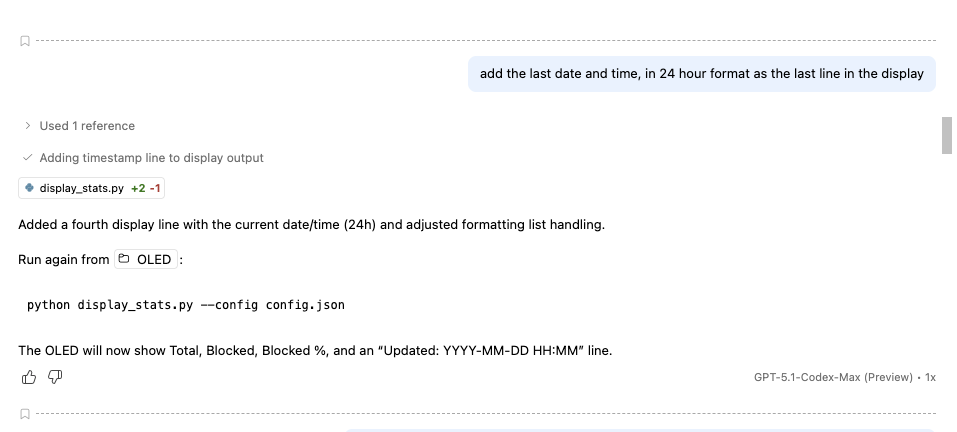
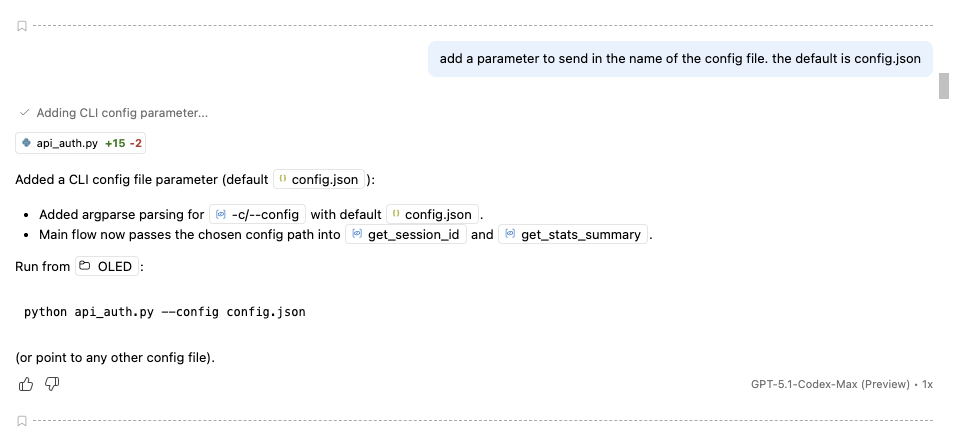
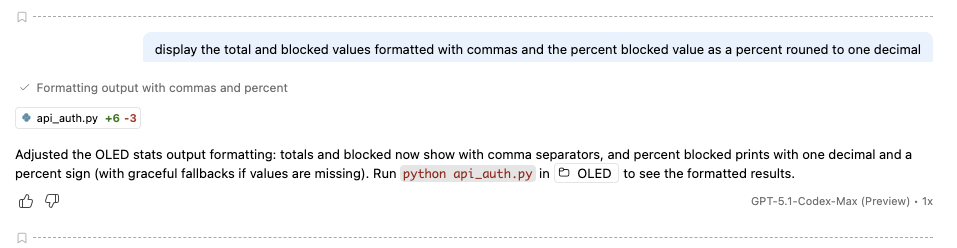
Rather than just doing what I asked, the agent made suggestions, such as: “The refresh loop runs forever; there’s no clean key to exit from the OLED. Currently only a crash or power cycle stops it. Should I add KEY3 (or long-press) to exit gracefully and call module_exit()?”
Folks, that’s no longer an agent following instructions — that’s reasoning and almost a sense of awareness. At times, I felt like I was communicating with a developer.
As I continued “conversing” with the agent, the flow felt natural — like I was working with a colleague.
Here are few of the many things it accomplished:
- It retrieved the API token, set up authentication, and even added logic to refresh the token if it expired.
- Without me telling it how to talk to the hardware, it figured out the right libraries, communicated with the display, and rendered the data.
- It created requirements, dependencies, and usage instructions. I have to tell you, the documentation it provided was better than most developers I’ve worked with.
- It wrote commit descriptions and pushed to the repo.
- It performed its own code review, suggested improvements, and added tests. It found edge cases I hadn’t even considered..
By the end, I had a complete application that not only did what I asked but also added features I hadn’t thought of!
The Magic of Vibe Coding
This wasn’t just basic functionality. The agent was proactive:
- It created documentation better than most developers would — who even documents?!
- It wrote requirements and explained hardware dependencies.
- It did code reviews on its own code. It added features (like an exit button) that I hadn’t thought of.
And all I did was prompt, one task at a time.
The End Result
Now I don’t need to log into the Pi-hole dashboard to check stats. I just glance at the little display on my desk and see how many ad queries are being blocked.
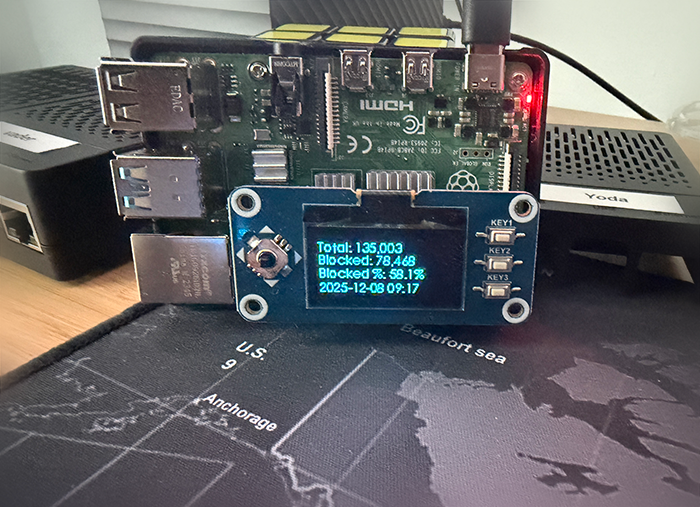
The next step? I’m going to write programs that do different things based on the buttons on the device. All through prompts. Imagine pressing one button to refresh stats, another to toggle modes, another to exit — all articulated, none of it coded.
From Traditional Dev to Articulation
This whole project took 60 minutes, start to finish (with short breaks in between to refresh my coffee). And I didn’t write one line of code.
The revelation: Development isn’t about writing code anymore. It’s about knowing what you want, communicating it clearly, and letting the system do the rest.
I didn’t need to know Python. I didn’t need to know how to talk to hardware. I just needed to vibe, describe, and let the agent reason its way through.
And that’s my Sunday vibe. Pi-hole stats on a tiny OLED screen, vibe coded in Python without writing a single line myself. I have been developing long enough to know what the code was doing. My job was simply to review what my friendly agent had written.
The dev we know is dead; articulation is the future; and the future is now.
If you’ll excuse me, I’ll be right here sipping coffee and thinking about what other buttons I can make this thing respond to!
Links
Here are links for the Pi setup discussed in this article.
Raspberry Pi 4 Model B 2019 Quad Core 64 Bit WiFi Bluetooth (4GB)
waveshare 1.3inch OLED Display HAT for Jetson Nano and Raspberry Pi