
Welcome to Quick Tips — a fast, focused series designed to help you work smarter.
Each post will give you one practical insight you can apply immediately, whether you’re coding, configuring your tools, or improving your workflow.
Here’s today’s Quick Tip:
Inlay Hints in VS Code
Inlay hints in Visual Studio Code are inline annotations that provide extra contextual information, such as parameter names or inferred types, directly in the editor. This feature enhances code readability and can be customized or toggled via settings for individual preferences and programming languages.
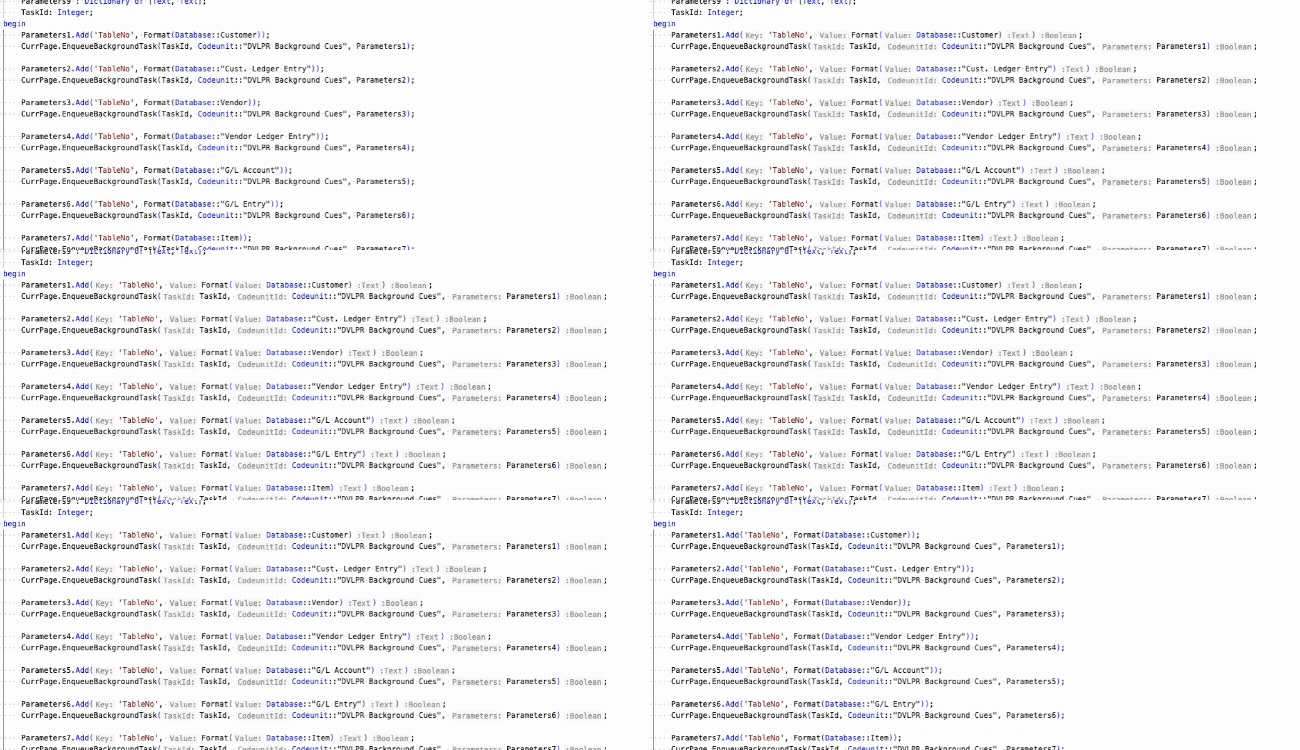
In the settings, you can also customize the appearance of inlay hints, including the font family, size, background color, and foreground color.
Enable (or Toggle) Inlay Hints
The main setting is editor.inlayHints.enabled. You can change it in Settings UI, or drop it into settings.json.
It supports these options:
- on: Always show inlay hints.
- off: Disable inlay hints.
- onUnlessPressed: Show by default, hide while holding
Ctrl+Alt(Ctrl+Optionon macOS). - offUnlessPressed: Hide by default, show while holding
Ctrl+Alt(Ctrl+Optionon macOS).
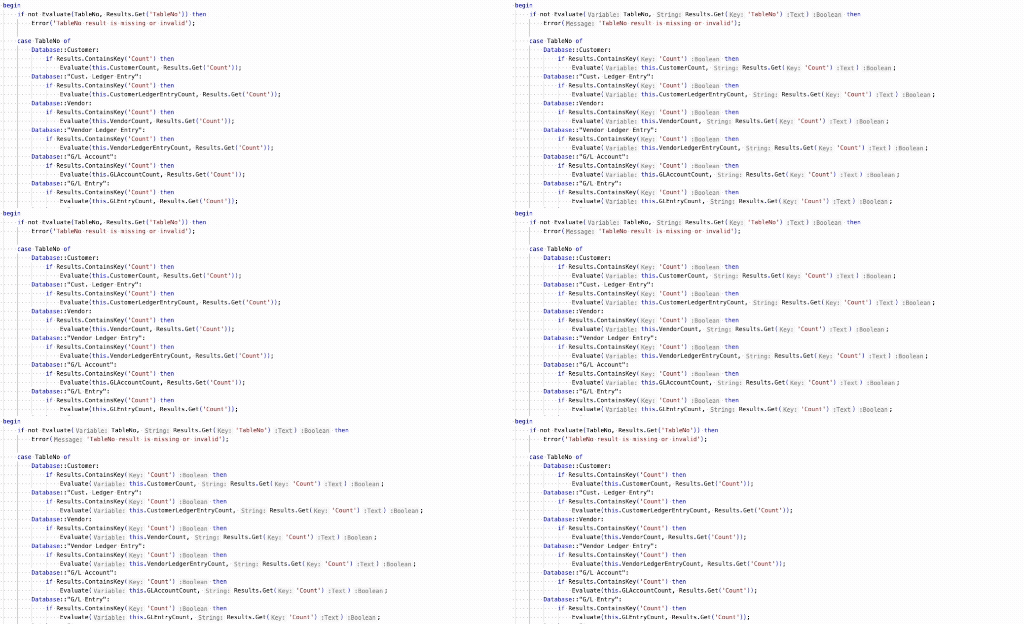
Inlay Hints for AL (Business Central)
Starting with Microsoft Dynamics 365 Business Central 2023 release wave 2, the AL Language extension supports inlay hints for method parameter names and return types.
These settings control AL’s hints:
{
	"al.inlayhints.functionReturnTypes.enabled": true,
	"al.inlayhints.parameterNames.enabled": true
}
al.inlayhints.functionReturnTypes.enabled -Enable/disable inlay hints for implicit return types on function signatures.
al.inlayhints.parameterNames.enabled – Enable/disable inlay hints for parameter names.
One easy gotcha: Even if AL’s inlay hints are enabled, VS Code still needs inlay hints enabled globally via editor.inlayHints.enabled.
Why It Helps
This is one of those “small” editor features that saves time all day:
- Makes function calls easier to read (especially with many parameters)
- Makes it easier to understand return types and variables at a glance
- Reduces context switching (less hovering / less jumping around)
- Helps you move faster in unfamiliar codebases
Learn more about Inlay Hints in AL Language.
Got a favorite shortcut or workflow tweak? Share it in the comments and subscribe to dvlprlife.com for more Quick Tips like this one!