
Teaching tips are one of those tiny user experience touches that can save you a lot of training time. In Business Central, the AboutTitle and AboutText properties let you add those “What is this?” callouts directly on pages, fields, actions, and more.
I like these properties because they scale well: You can put a small hint on a single field or provide a higher-level explanation for an entire page—without writing any code.
What Are AboutTitle and AboutText?
AboutTitleis the large header shown in the teaching tip.AboutTextis the body text shown under the title.
They’re most commonly used to:
- Explain what a page is for (especially list pages that new users land on)
- Add context to “mystery fields” (settings, posting options, toggles)
- Clarify what an action will do before a user clicks it
Why You Should Care
- Reduces “What does this do?” interruptions
- Helps new users learn workflows in context
- Makes customizations feel more “native” and self-documenting
- Lets you improve user experience for customizations and extensions
How It Works (And When It Doesn’t)
You can set these properties at different levels (and each one creates a different “type” of teaching tip):
- Page-level: on the
pageorpageextension - Control-level: on fields, groups, parts, actions/action groups, etc.
A few rules of thumb that matter in real projects:
- You must set both
AboutTitleandAboutTextor the teaching tip won’t appear. - Teaching tips are a Web client feature—if the current client isn’t the Web client, these properties are ignored at runtime.
- Not every page type will show a page-level teaching tip (for example, Role Centers and certain dialog-like pages don’t display them).
- If a page runs in lookup mode, the teaching tip may not show automatically (but it can still be reached from the page caption).
- Visibility matters: If a control ends up
Visible = false, its teaching tip won’t show. - For fields, teaching tips show most reliably for repeater fields or fields in the page content area (not cues).
- For actions, teaching tips are most reliable in primary action areas.
- Teaching tips will not appear if the user has disabled them in their settings.
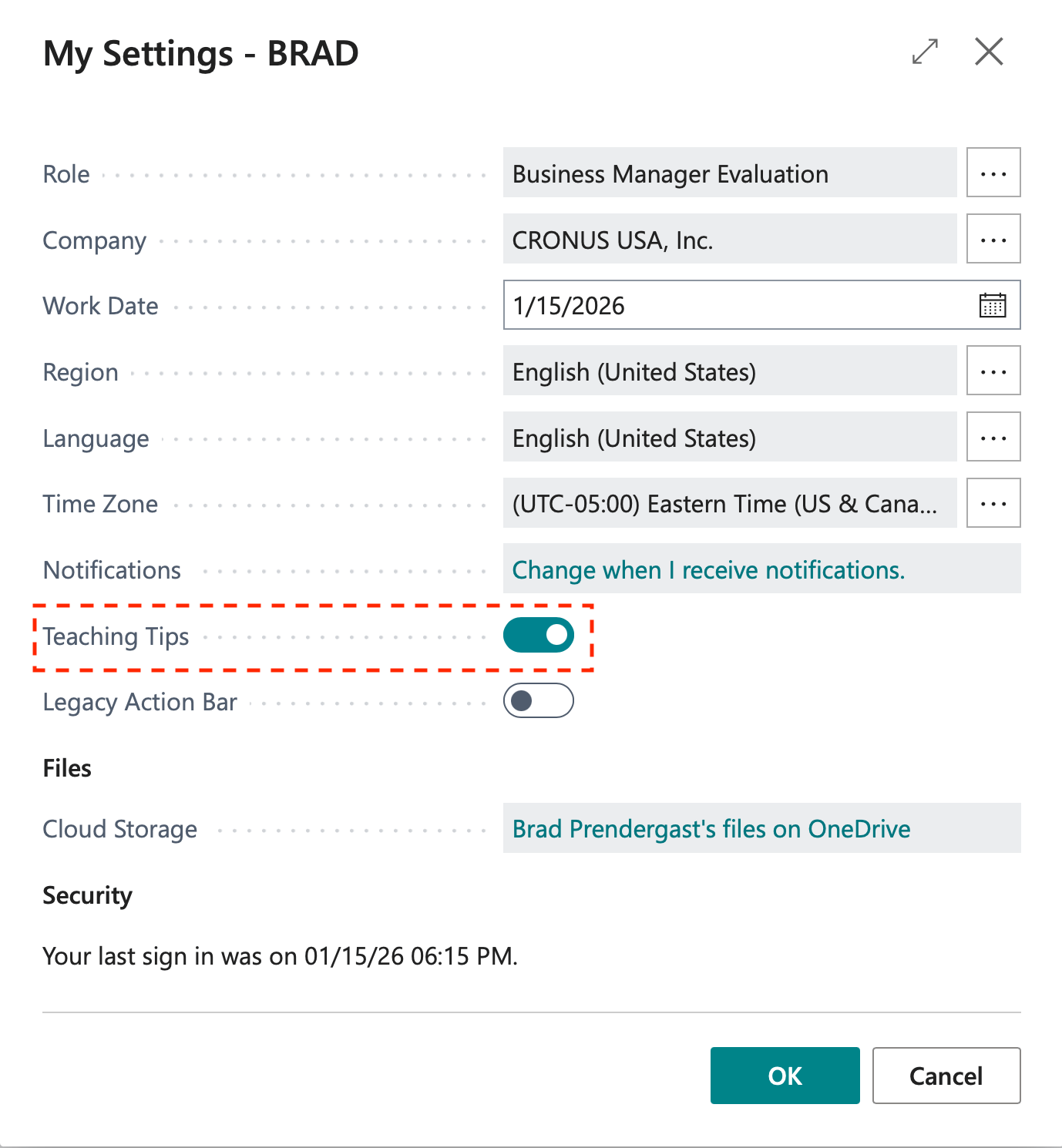
Also, where you place the property affects whether users will actually see it:
- For fields, teaching tips are most useful in the content area or repeaters.
- For actions, teaching tips are most reliable when the action appears in the primary action areas users interact with (not every action surface renders them).
- For embedded parts, the tip effectively becomes part of the hosting page’s tour.
Example: Add Teaching Tips with a Page Extension
This example adds:
- A page-level teaching tip
- A field-level teaching tip
namespace dvlprlife.abouttitle1.abouttitle;

using Microsoft.Sales.Customer;

pageextension 50150 "Customer Card Tips" extends "Customer Card"
{
    AboutText = 'Use this page to maintain **customer master data** and review key settings before posting documents.';
    AboutTitle = 'About the customer card';

    layout
    {
        modify(Name)
        {
            AboutText = 'This is the *display name* used on documents and reports. Keep it consistent with what your customers expect.';
            AboutTitle = 'Customer name';
        }
    }
}
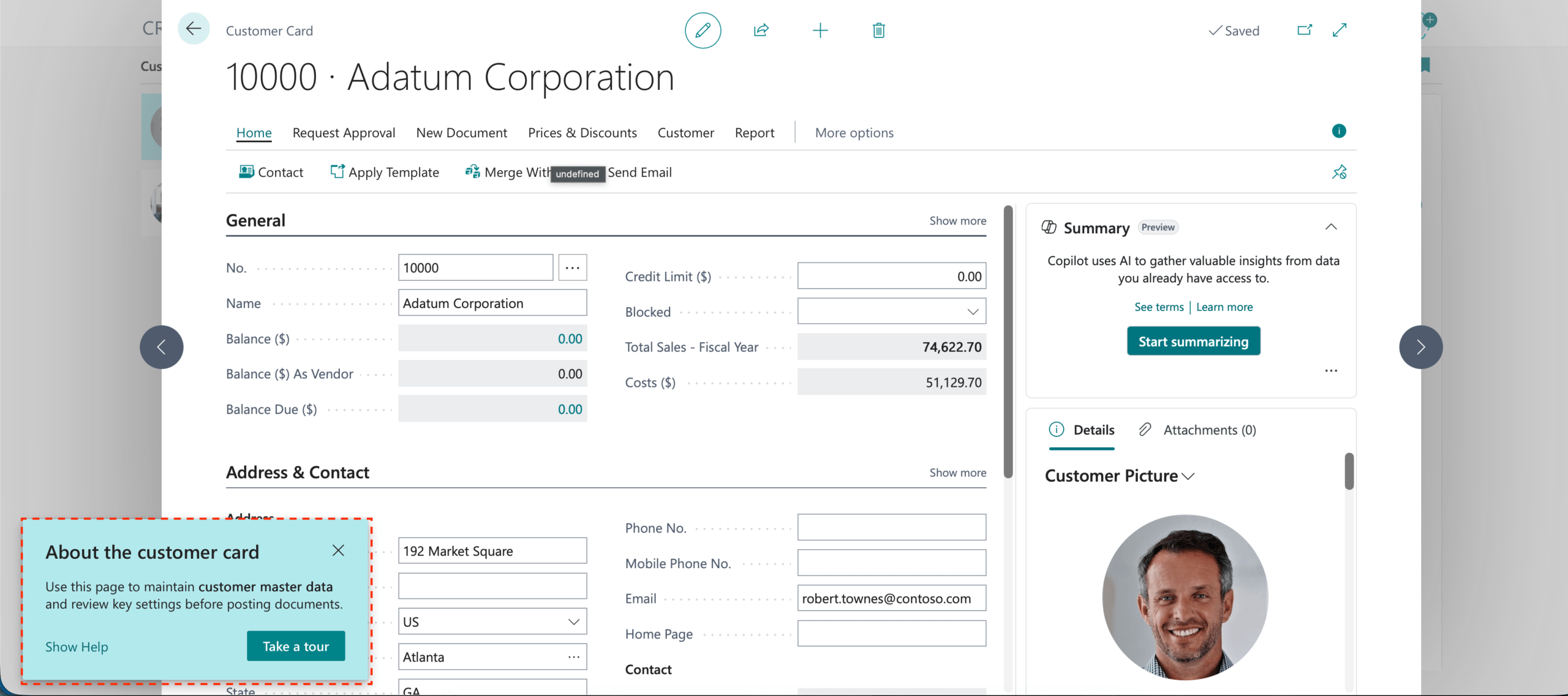
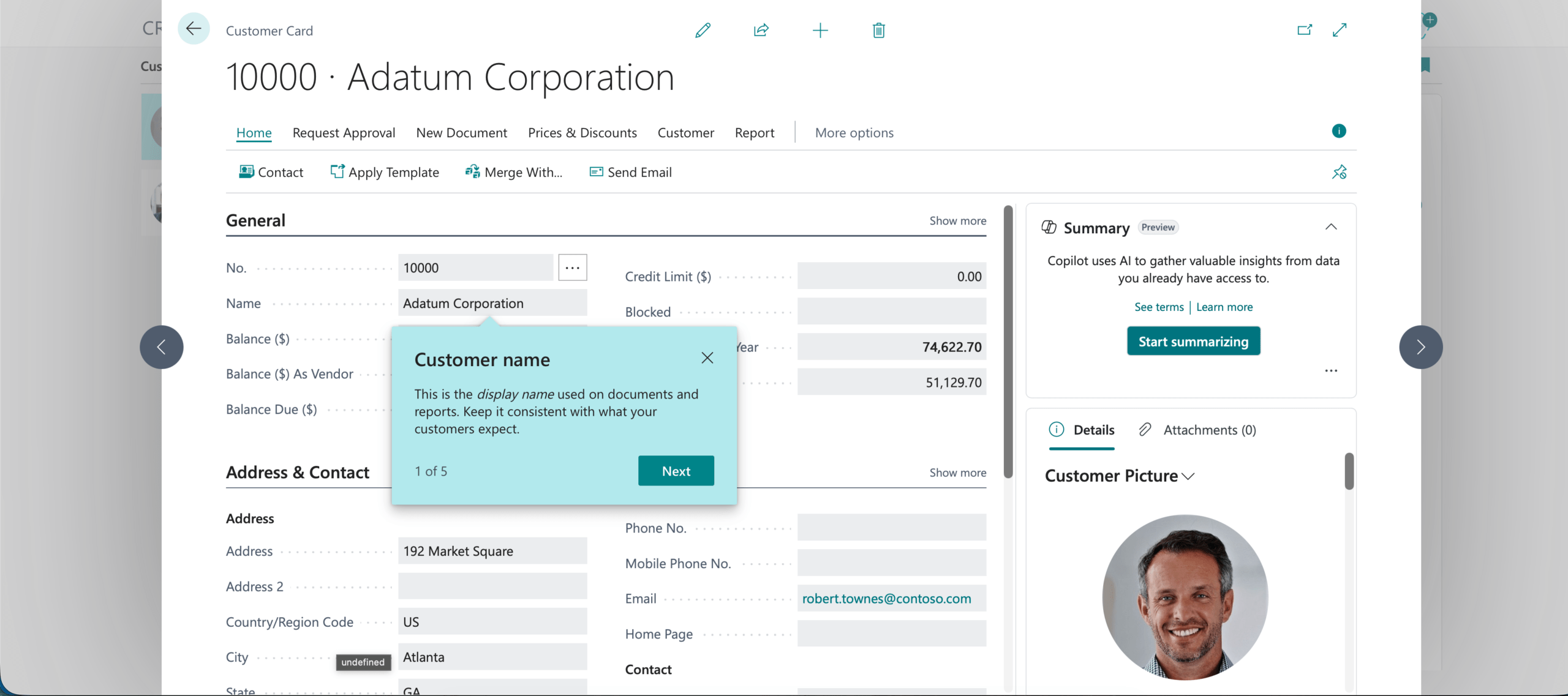
A couple of small notes:
AboutTextsupports simple rich-text formatting (for example**bold**and*italic*).- Keep the copy short—one or two sentences is usually plenty.
Example: Change (or Hide) an Existing Teaching Tip
If the base application already has a teaching tip, you can still adjust it in an extension.
- To change the content: Set
AboutTitle/AboutTexton the same page/control. - To hide it entirely: Set the About properties to an empty string.
pageextension 50101 "Customer Card Tip Overrides" extends "Customer Card"
{
    layout
    {
        modify("Phone No.")
        {
            AboutTitle = '';
            AboutText = '';
        }
    }
}
Example: Add Teaching Tips to a Page and an Action
You can also add teaching tips directly in a page object and its actions.
namespace dvlprlife.abouttitle1.sample;
page 50151 "DVLPR Sample Size Card"
{
    AboutText = 'Create and maintain **sample size** records. Use Code to uniquely identify the record, Description to explain it, and Size to store a numeric value.';
    AboutTitle = 'Sample sizes';
    ApplicationArea = All;
    Caption = 'Sample Size Card';
    PageType = Card;
    SourceTable = "DVLPR Sample Size";
    UsageCategory = None;

    layout
    {
        area(Content)
        {
            group(General)
            {
                Caption = 'General';

                field(Code; Rec.Code)
                {
                    AboutText = 'A unique identifier for this sample size record.';
                    AboutTitle = 'Size code';
                }
                field(Description; Rec.Description)
                {
                    AboutText = 'A short description that explains what this code represents.';
                    AboutTitle = 'Description';
                }
                field(Size; Rec.Size)
                {
                    AboutText = 'A numeric value representing the size.';
                    AboutTitle = 'Size value';
                }
            }
        }
    }

    actions
    {
        area(Processing)
        {
            action(SampleAction)
            {
                Caption = 'Sample Action';
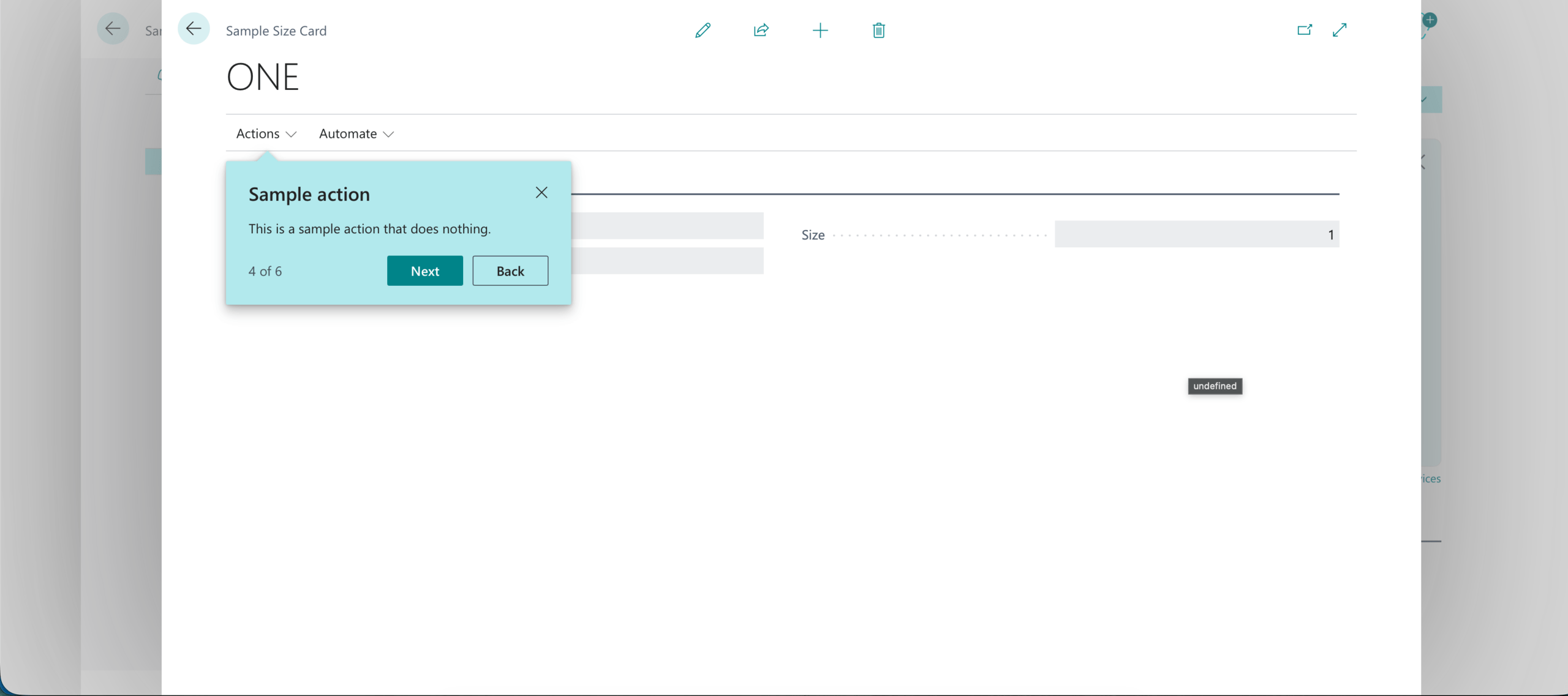
                AboutText = 'This is a sample action that does nothing.';
                AboutTitle = 'Sample action';

                trigger OnAction()
                begin
                    // No operation
                end;
            }
        }
    }
}
Tips for Writing Good Teaching Tips
- Write for the moment the user is in: “What is this used for?” beats long process documentation.
- Avoid repeating captions: The title should add meaning, not restate the field name.
- Be intentional about where you add tips—too many can feel noisy.
- If you’re building something for multiple languages, plan ahead for localization (don’t bake assumptions into English-only wording).
Wrapping Up
AboutTitle and AboutText are a quick win when you want to make pages and controls easier to understand—especially for users who are new to a process or seeing custom fields for the first time.
My suggestion: Start with one page that generates the most questions, add a few high-impact teaching tips, and iterate based on feedback.
Learn more:
You can find the full code for the example on GitHub.
Note: The code and information discussed in this article are for informational and demonstration purposes only. Always test in a sandbox first. This content was written referencing runtime version 10.0+ of the AL Language.
1 ping
[…] Prendergast, en su publicación en su blog, señaló que los “teaching tips” (consejos de enseñanza) son indicaciones pequeñas y […]