The Access Property in Business Central (AL)

If you build extensions long enough, you eventually get burned by a dependency you didn’t mean to create: another app starts calling into your “helper” codeunit, or relies on a table/field you never intended as public API. Later, you refactor—and everything breaks.

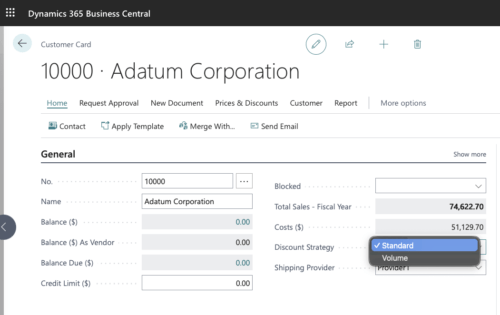
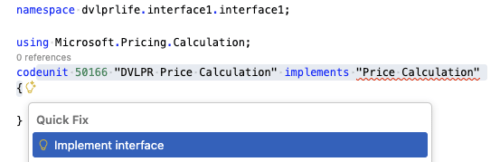
Local Access Levels are not accessible outside the table or table extension

That’s the real value of the Access property: it lets you define (at compile time) what’s part of your supported surface area versus what’s strictly internal implementation.

What Is the Access Property?

The Access property sets the compile-time visibility of an AL object (and, for tables, of individual fields). In practice, it controls whether other AL code can take a direct reference to that symbol.

Think of it as the AL equivalent of “public vs internal” in other languages, but scoped to apps (modules) and extension objects.

What the Access Property Applies To

Access applies to:

  • Codeunit
  • Query
  • Table
  • Table field
  • Enum
  • Interface
  • PermissionSet

Object-Level Access: Public vs Internal

For most objects (tables, codeunits, queries, interfaces, enums), you’ll typically use:

  • Access = Public; (default): Other apps that reference your app can use the object.
  • Access = Internal;: Only code inside your app can reference the object.

Example: keep a table internal so nobody else compiles against it:

table 50111 "DVLPR Internal Staging"
{
    DataClassification = CustomerContent;
    Access = Internal;

    fields
    {
        field(1; "Entry No."; Integer) { }
        field(2; Payload; Blob) { }
    }
}

Table Field Access: Local, Protected, Internal, Public

Table fields add two extra options that are incredibly useful for designing clean extensibility:

  • Local: Only code in the same table or the same table extension object where the field is defined can reference the field.
  • Protected: Code in the base table and table extensions of that table can reference the field.
  • Internal: Anything inside the same app can reference the field.
  • Public (default): Any referencing app can reference the field.

Example: Table with different field access levels:

table 50140 "DVLPR Access Property"
{
    Access = Public;
    Caption = 'DVLPR';
    DataClassification = CustomerContent;

    fields
    {
        field(1; "Code"; Code[10])
        {
            Caption = 'Code';
            ToolTip = 'Specifies the value of the Code field.';
        }
        field(2; "Local Code"; Code[10])
        {
            Access = Local;
            Caption = 'Local Code';
            ToolTip = 'Specifies the value of the Local Code field.';
        }
        field(3; "Protected Code"; Code[10])
        {
            Access = Protected;
            Caption = 'Protected Code';
            ToolTip = 'Specifies the value of the Protected Code field.';
        }
        field(4; "Public Code"; Code[10])
        {
            Access = Public;
            Caption = 'Public Code';
            ToolTip = 'Specifies the value of the Public Code field.';
        }
        field(5; "Internal Code"; Code[10])
        {
            Access = Internal;
            Caption = 'Internal Code';
            ToolTip = 'Specifies the value of the Internal Code field.';
        }
    }
    keys
    {
        key(PK; "Code")
        {
            Clustered = true;
        }
    }
}

The Access levels for table fields are especially useful when you want to allow controlled extensibility without opening up everything.

Local and Protected Access Levels are not accessible outside the table or tableextension

If, for example, you have a field with Access = Local, you won’t be able to reference it by name from a page, report, or codeunit—even inside the same app.

One more practical detail from the platform: table and field accessibility affects the in-client Designer. Only Public table fields can be added to pages using Designer.

Sharing Internals Between Your Own Apps: internalsVisibleTo

Sometimes you do want internals shared—but only with your own “companion” apps. That’s where internalsVisibleTo in app.json comes in.

It allows specific friend modules to compile against your Access = Internal objects.

Example app.json snippet:

{
  "internalsVisibleTo": [
    {
      "id": "00000000-0000-0000-0000-000000000000",
      "name": "DVLPR Companion App",
      "publisher": "DVLPRLIFE"
    }
  ]
}

Important: Access Is Compile-Time Only (Not Security)

This is the part that’s easy to misunderstand.

Access is enforced at compile time. It is not a runtime security boundary.

One way to think about it: Access controls who can compile against your symbols, not who can ultimately interact with data at runtime. Business Central still has reflection-style mechanisms (such as RecordRef, FieldRef, and TransferFields) that can work with tables/fields without a direct symbol reference.

For example, even though the Local Code field is marked as Access = Local, you can still technically read and write it using RecordRef and FieldRef (because those APIs work by field number rather than a compile-time field reference):

    procedure GetLocalCode(): Code[10]
    var
        RecordRef: RecordRef;
        FieldRef: FieldRef;
        LocalCode: Code[10];
    begin
        RecordRef.GetTable(Rec);
        FieldRef := RecordRef.Field(2);
        LocalCode := FieldRef.Value;
        RecordRef.Close();

        exit(LocalCode);
    end;

    procedure SetLocalCode(NewLocalCode: Code[10])
    var
        RecordRef: RecordRef;
        FieldRef: FieldRef;
    begin
        RecordRef.GetTable(Rec);
        FieldRef := RecordRef.Field(2);
        FieldRef.Value := NewLocalCode;
        RecordRef.Modify();
        RecordRef.Close();
    end;

When I Reach for Each Level

My personal defaults:

  • Public: Objects/fields I’m willing to support as a stable contract.
  • Internal: Implementation objects I expect to refactor freely.
  • Protected (fields): When I want controlled extensibility through table extensions.
  • Local (fields): Fields that are strictly internal to the table logic.

Wrapping Up

The Access property is one of the most practical tools you have for keeping an extension maintainable over time. It helps you draw a clear line between API and implementation, reduces accidental coupling between apps, and makes your intent obvious to anyone reading your symbols.

Learn more about access modifiers here.

Learn more about the Access property here.

Learn more about internalsVisibleTo in the app.json schema here.

Note: The code and information discussed in this article are for informational and demonstration purposes only. The Access property is available from runtime version 4.0.

Permanent link to this article: https://www.dvlprlife.com/2025/12/the-access-property-in-business-central-al/

Feeling Behind, Looking Ahead: What the Future Holds for Developers in the Era of AI

A Moment Worth Pausing For

Let Karpathy’s words sink in for a moment.


Just 11 months ago, in February 2025, Andrej Karpathy—one of the most influential voices in modern AI—casually coined the term “vibe coding.” It was a playful phrase, yet it captured something profound: the exhilarating chaos of letting large language models interact with us, improvize with us, and sometimes surprise us more than we expected.

Less than a year ago, it felt like we were at the frontier. And yet here we are, just a few months later, and Karpathy himself is saying he’s never felt more behind.

If he feels that way, what does that mean for the rest of us?

The Ground Has Shifted—Again

As we approach 2026, the landscape has transformed at a pace that feels almost like sci-fi. The tools we once treated as clever assistants have evolved into something far more powerful—and far less predictable.
We’re no longer just prompting models. We’re orchestrating:

  • Agents that act on their own,
  • Workflows that chain intelligence together,
  • Systems that behave less like tools and more like collaborators with quirks, instincts, and emergent behaviors.

This isn’t just a new framework or a new library. It’s a new layer of abstraction—one that demands we rethink how software is conceived, built, and maintained.

It’s disorienting. It’s thrilling. And yes, it can make even the best of us feel like we’re scrambling to keep up.

The Beginning of a New Epoch

But here’s the beauty: we’re not witnessing the death of an era. We’re witnessing the birth of a new one.

This earthquake isn’t leveling the field—it’s clearing it. The old assumptions, the old constraints, the old rhythms of development are giving way to something unprecedented to take root.

For the first time in decades, the craft of programming is being reinvented in real time. Every developer alive today has a front‑row seat to a transformation that future generations will study, much in the same way we reflect back on the dawn of the internet.

Why Feeling Behind Is a Good Sign

That feeling of being behind? While it can shake us at our foundations, it’s the unmistakable signal that we are alive in a crucial historical moment.

When the world accelerates, the sensation of lagging is evidence you’re still in the race. Still learning. Still adapting. Still alert.

And in a field defined by reinvention, that’s exactly where you want to be.

The New Developer Mindset

So yes—roll up your sleeves. Explore the tools. Break things. Build things. Let agents surprise you. Let workflows confuse you. Let the unpredictability both scare you and teach you.

Those who will thrive in this era won’t be the ones who memorize every new capability or master every new abstraction overnight. They’ll be the ones who approach this moment with curiosity, humility, and a willingness to play.

They are those who embrace the beginner’s humility and the learner’s mindset.

We’re All Newbies Again

Relish this chance to be a newbie. For the first time in a long time, everyone is starting fresh.

The veterans. The newcomers. The researchers. The hobbyists. The people who’ve been coding for 30 years and the ones who just wrote their first prompt last week.

We’re all standing at the same threshold, staring into a future that’s bigger, stranger, and more full of possibility than anything we’ve built before.

And what an inspiring place and time to be in.

Permanent link to this article: https://www.dvlprlife.com/2025/12/feeling-behind-looking-ahead/

Protected Variables in Business Central (AL)

I’ve been writing Business Central extensions for many years and one thing I’ve always wanted is a clean way to access the “working” variables inside the objects I’m extending. Too often, you end up re-implementing the same logic in a pageextension or reportextension just to get at a flag, buffer, or calculated value. Fortunately, there’s a solution for that: protected variables.

What Are Protected Variables?

Protected variables are global variables that an AL object intentionally exposes to extensions in a controlled way.

In AL, you declare them in a protected var section. That makes them accessible to extension objects that extend the source object, such as:

  • tables ↔ table extensions
  • pages ↔ page extensions
  • reports ↔ report extensions
  • dependent apps (extensions) when there is an explicit app dependency

This is especially useful when you have internal states (flags, buffers, counters, temporary records) that extensions legitimately need to read or toggle—without forcing everyone into copy/paste base logic.

Why Protected Variables Exist (And What They Replace)

Before protected variables, developers typically had to choose between:

  • Making a variable not accessible (so extensions can’t reuse it), or
  • Reworking the design into events/procedures, or
  • Duplicating logic in extensions (fragile and expensive)

Protected variables fill a pragmatic gap: they let the base object expose “just enough” internal states to extension objects.

Syntax: protected var vs var

The syntax is simple, but important:

protected var
    MyProtectedValue: Boolean;

var
    MyLocalOnlyValue: Integer;
  • Variables in protected var are accessible to extension objects that extend the source object.
  • Variables in var are local to the object and not accessible from extensions.

If you want to expose only some variables, you must split declarations into two sections (as shown above).

Example: Exposing a Page Flag to a Page Extension

This is a common real-world pattern: a base page maintains a flag that controls visibility or behavior and the extension needs to reuse that same flag.

Base page:

page 50100 "DVLPR My Page"
{
    SourceTable = Customer;
    PageType = Card;

    layout
    {
        area(Content)
        {
            group(Advanced)
            {
                Visible = ShowBalance;

                field(Balance; Balance)
                {
                    ApplicationArea = All;
                }
            }
        }
    }

    actions
    {
        area(Processing)
        {
            action(ToggleBalance)
            {
                ApplicationArea = All;
                trigger OnAction()
                begin
                    ShowBalance := not ShowBalance;
                end;
            }
        }
    }

    protected var
        ShowBalance: Boolean;
}

Page extension:

pageextension 50101 "DVLPR My Page Ext" extends "DVLPR My Page"
{
    layout
    {
        addlast(Content)
        {
            group(MoreBalance)
            {
                Visible = ShowBalance;

                field("Balance (LCY)"; "Balance (LCY)")
                {
                    ApplicationArea = All;
                }
            }
        }
    }
}

This is the difference between a clean extension and one that has to reimplement the base page’s behavior.

Benefits (What You Actually Gain)

  • Better extensibility contracts: You can intentionally expose state that is useful to extensions.
  • Less copy/paste logic: Extensions can build on the base behavior without recreating it.
  • Cleaner page/report extensions: You can reuse the base object’s “working variables” (visibility flags, buffer values, temporary records).
  • Cross-app collaboration: If App B depends on App A, App B can access App A’s protected variables when extending App A’s objects.

What Protected Variables Are

  • They are shared mutable states. An extension can change the value, potentially causing side effects.
  • They create coupling: If the base object later changes or removes the variable, dependent extensions may need to be updated.

If you need strict validation, invariants, or long-term stability, a protected/public procedure (or an event with parameters) is often a better design than exposing the variable directly.

Rules of Thumb and When to Use Them

I tend to reach for protected var when:

  • The variable is part of the object’s internal UI/state (visibility flags, cached totals, temporary buffers).
  • The extension genuinely needs to share the same state as the base object.
  • Exposing an entire public procedure would be overkill.

I avoid protected var when:

  • The extension should not mutate the value (prefer a procedure).
  • The value represents a business invariant (prefer validation + procedures/events).

Version Notes and Gotchas

Protected variables have been around for several Business Central versions, but you should still test your specific pattern on the oldest version you support.

A couple of practical lessons from the community:

  • If you’re binding values in a page extension and the source is “complex” (arrays, temporary buffers, etc.), it can be safer to stage the value into your own variable in a trigger (for example, OnAfterGetRecord) instead of binding directly.
  • Keep protected var focused on state you expect extensions to use. When the value needs validation or invariants, expose a procedure/event instead.

Further Reading

  • Microsoft Learn (protected variables): here

Wrapping Up

Protected variables are one of those small AL features that make extension design feel much more natural. When used intentionally, they allow page/report/table extensions to integrate tightly with the base object’s state.

Use them as a targeted extensibility tool: expose only what’s needed, keep the surface area small, and choose procedures/events when you need validation or a long-term stable API.

Note: The information in this article is for informational and demonstration purposes only. Protected variables apply to Business Central 2019 release wave 2 and later. Always test on the lowest supported Business Central version.

Permanent link to this article: https://www.dvlprlife.com/2025/12/protected-variables-in-business-central-al/

Delete Orphaned Extension Data in Business Central

What Is “Orphaned Extension Data”?

In Business Central, when uninstalling an extension, the person performing the uninstall can choose to preserve its data. That’s intentional: it allows you to reinstall the extension later without losing data.

The downside is that you can end up with data for an extension that is no longer published. That leftover content is what people generally mean by orphaned extension data.

Over time—especially in environments that frequently cycle apps—this can add up and impact both storage and performance. Highlighting the importance of cleaning orphaned data helps administrators understand its impact on system health and encourages proactive maintenance.

The Feature: Delete Orphaned Extension Data

In Dynamics 365 Business Central 2023 release wave 2, Microsoft introduced a built-in way to clean this up: the Delete Orphaned Extension Data page. This feature targets only extensions that are not currently installed but still have data.

It lets an admin:

  • See which uninstalled extensions still have data in the tenant.
  • Select one or more of those extensions.
  • Permanently delete the leftover data for those uninstalled extensions.

Read more about deleting orphaned extension data here.

Why You Should Care (Performance + Capacity)

Even if the extension is gone, the data it created can still have a cost:

  • Storage/capacity: orphaned data takes space until you remove it.
  • Table extension overhead: table-extension fields are stored by the platform in companion tables. Leaving old extension data behind can increase row size and overhead.
  • Upgrades and maintenance: less “dead” data usually means faster maintenance operations and fewer surprises.

Microsoft’s performance guidance is very consistent on this theme: keep the database lean.

How to Use It (In the Client)

You can run the cleanup directly from the Business Central client:

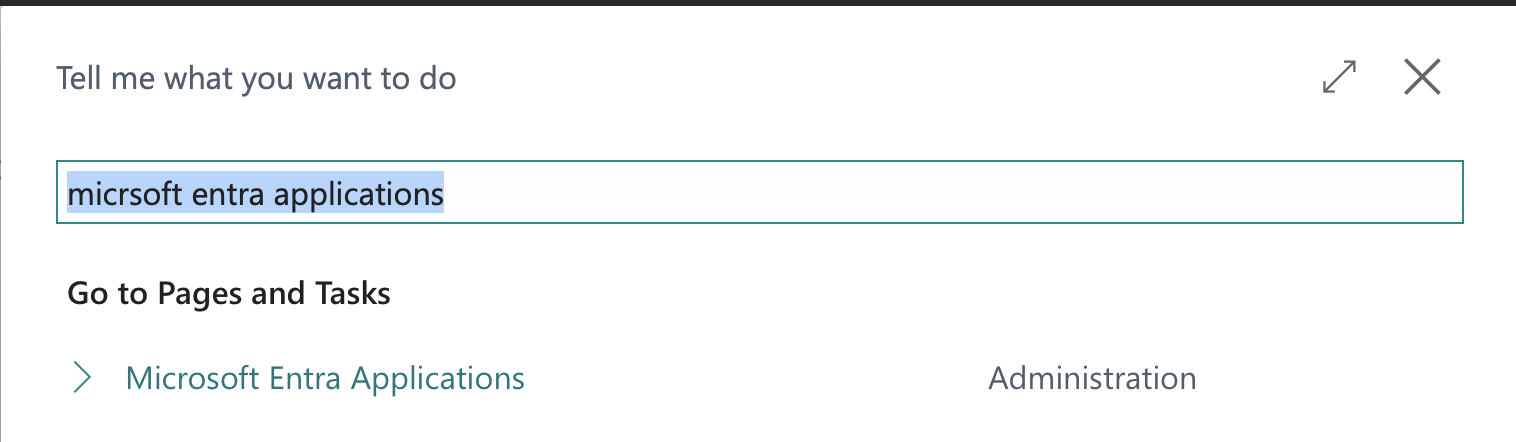
  1. Use Tell me and search for Delete Orphaned Extension Data.

  1. Open the page.
  2. Review the list of uninstalled extensions that still have data.
  3. Select the extension(s) you want to clean up.

  1. Choose Delete data (or the equivalent action).

If you’re looking for where extension install/uninstall is managed, that’s typically done from Extension Management.

Read more on Extension Management here.

What Actually Gets Deleted?

At a high level, this cleanup removes data that belongs to the selected uninstalled extension(s), including:

  • Data in extension-owned tables
  • Data stored for table extensions (platform companion table data)

Deleting orphan data is a destructive operation. Once you delete extension data, it’s not something you can “undo” from inside Business Central. Always test in a sandbox first to build confidence in safe execution, as this reassures admins about data safety.

If you’re unsure whether it’s safe, the best approach is:

  • Validate the extension is not needed
  • Confirm you have a backup/restore option
  • Test the cleanup in a Sandbox first

Permissions / Who Should Do This

Deleting Orphan Extension Data is an admin maintenance task and typically requires extension-management/admin permissions in the tenant.

If a user can’t see the page or actions, that’s usually the first thing to check.

Wrapping Up

The Delete Orphaned Extension Data feature is a small admin tool with a significant long-term payoff, empowering you to optimize capacity and improve performance by removing leftover extension data.

Note: The information in this article is for informational and demonstration purposes only. This content was written with reference to Microsoft Dynamics 365 Business Central 2023 release wave 2 Online and later. Always test cleanup in a sandbox first and ensure you have a recovery path before deleting data in production.

Permanent link to this article: https://www.dvlprlife.com/2025/12/delete-orphaned-extension-data-in-business-central/

Package Resources in Extensions and Access Them from AL

Many features need “starter” content: setup templates, default JSON config, RapidStart packages, demo data, or even HTML/email templates. Historically, AL developers ended up stuffing this kind of content into labels, giant Text constants, or helper Codeunits.

With Microsoft Dynamics 365 Business Central 2024 Wave 2, you can package resource files inside your extension and read them at runtime directly from AL. This is great for setup and initialization scenarios because it keeps content in real files (versionable, editable, diff-friendly) instead of in code.

Learn more about the feature here

You can find the full code for the example on GitHub.

How Resource Packaging Works

At a high level:

  • You add one or more folders to your extension that contain your resources.
  • You declare those folders in your manifest (app.json) using resourceFolders.
  • At runtime, AL reads the resource content using the NavApp data type (for example, NavApp.GetResource).

A key point from the release plan: an extension can access only its own resources.

Defining Resource Folders in app.json

To package resources, declare the folders in your project that contain them by adding resourceFolders to app.json. The resourceFolders property contains a list of folders that contain resources that should be packaged as part of the app file. You can specify multiple folders, and each folder can contain subfolders. The resourceFolders should be listed relative to the root of your project.

Example:

{
  "id": "00000000-0000-0000-0000-000000000000",
  "name": "getresource1",
  "publisher": "Default Publisher",
  "version": "1.0.0.0",
  "platform": "1.0.0.0",
  "application": "27.0.0.0",
  "runtime": "16.0",
  "resourceFolders": ["resources"]
}

Anything under those folders is packaged into the .app.

Resource Limits (Worth Knowing Up Front)

This feature has a few practical limits:

  • Any single resource file can be up to 16 MB.
  • All resource files together can be up to 256 MB.
  • An extension can have up to 256 resource files.

What resources do you have?

With so many resources, you might want to see what’s available. You can use NavApp.ListResources to get a list of all packaged resources, optionally filtered by a path prefix.

Learn more about NavApp.ListResources here.

NavApp.GetResource: The Core Building Block

NavApp.GetResource retrieves a resource that was packaged with the current app and loads it into an InStream.

Syntax (from docs):

NavApp.GetResource(ResourceName: Text, var ResourceStream: InStream [, Encoding: TextEncoding])
  • ResourceName: the name/path of the resource you want to retrieve.
  • ResourceStream: an InStream variable that receives the resource content.
  • Encoding (optional): stream encoding (default is MSDos). In practice, you’ll usually want TextEncoding::UTF8 for JSON and text templates.

Learn more about NavApp.GetResource here.

  • Wrong resource name/path: the resource name must match the packaged path. Keep your folder structure simple and consistent.

The Other Methods

If your resource is plain text or JSON, you can often skip the InStream plumbing, although it still works, and use the additional methods instead:

  • NavApp.GetResourceAsText(Text [, TextEncoding]) returns the resource directly as Text.
  • NavApp.GetResourceAsJson(Text [, TextEncoding] returns the resource directly as a JsonObject.

If you’re only dealing with text or JSON, those convenience methods can make your code shorter. If you need streaming semantics (or want to control how text is read), NavApp.GetResource is the most general option.

Learn more about NavApp.GetResourceAsText(Text [, TextEncoding]) here.

Learn more about NavApp.GetResourceAsJson(Text [, TextEncoding]) here.

Example 1: Load an Image Resource with NavApp.GetResourceAsJson

A very common real-world scenario is packaging different data configurations as JSON resources, then reading them at runtime.

var
    JSONText: Text;
    ResourceJSONFileLbl: Label 'json/items.json';

trigger OnOpenPage()
begin
    this.JSONText := this.LoadJSON(this.ResourceJSONFileLbl);
end;

local procedure LoadJSON(resource: text): Text
var
    ResourceJson: JsonObject;
    JSON: Text;
begin
    ResourceJson := NavApp.GetResourceAsJson(resource, TextEncoding::UTF8);
    ResourceJson.WriteTo(JSON);
    exit(JSON);
end;

This keeps your HTML out of AL, while still letting AL “inject” runtime data.

Example 2: Load a Text Resource with NavApp.GetResourceAsText

Another real-world scenario is packaging an email template as a resource, then reading it at runtime. This allows you to provide a default email template that can be easily updated by changing the resource file, without modifying the AL code.

var
    SampleText: Text;
    ResourceTextFileLbl: Label 'text/sample.txt';

trigger OnOpenPage()
begin
    this.SampleText := this.LoadText(this.ResourceTextFileLbl);
end;
local procedure LoadText(resource: text): Text
begin
    exit(NavApp.GetResourceAsText(resource, TextEncoding::UTF8));
end;

Example 3: Listing All Packaged Resources

With so many resources, you might want to see and select from the list of resources to present as a selection option.

trigger OnOpenPage()
begin
    this.AllResourceNames := this.ResourceTextList('');
    this.ImageResourceNames := this.ResourceTextList('images');
end;

local procedure ResourceTextList(filter: Text): Text
var
    ResourceList: List of [Text];
    ResourceNames: Text;
    resourceIndex: Integer;
begin
    ResourceList := NavApp.ListResources(filter);
    for resourceIndex := 1 to ResourceList.Count() do
        ResourceNames := resourceIndex = ResourceList.Count() ? ResourceNames + ' ' + ResourceList.Get(resourceIndex) : ResourceNames + ' ' + ResourceList.Get(resourceIndex) + '\';

    exit(ResourceNames);
end;

Wrapping Up

Packaging resources in extensions (and reading them from AL) is one of those quality-of-life features that quickly becomes a standard pattern. It makes setup and initialization cleaner, keeps content in real files, and reduces the temptation to hardcode large templates or JSON blobs in AL. You can also allow for the selection of resources to load at runtime, enabling more dynamic behavior – perfect for loading different email templates based on user preferences or configurations and also demonstration data scenarios.

You can find the full code for the example on GitHub.

Note: The code and information discussed in this article are for informational and demonstration purposes only. This content was written referencing Microsoft Dynamics 365 Business Central 2025 Wave 2 online.

Permanent link to this article: https://www.dvlprlife.com/2025/12/package-resources-in-extensions-and-access-them-from-al/

Control Add-in Object in Business Central

What Is a Control Add-in in Business Central?

A control add-in is an AL object you use to embed a custom web-based UI component inside the Business Central client. Think of it as a bridge between the Business Central page framework and HTML/JavaScript/CSS running in the browser client. The client hosts the add-in on a page (typically rendered in an iframe) and loads the JavaScript and CSS packaged with your extension.

The key concept is that Business Central renders the add-in in the client, and you communicate between AL and JavaScript using events (JS → AL) and procedures (AL → JS).

I’ve been having a lot of fun building control add-ins and vibe-coded something fun for the holiday.

You can find the full code for the example on GitHub.

How Control Add-ins Work

When a page that contains a usercontrol is opened, the Business Central web client loads the add-in resources packaged in your extension (JavaScript, CSS, images). The add-in renders into a host container in the page.

From there, the integration is two-way:

  • JavaScript raises events back to AL using Microsoft.Dynamics.NAV.InvokeExtensibilityMethod('EventName', [args]).
  • AL calls JavaScript functions by invoking procedures declared on the controladdin object (which must exist in your JS runtime).

You can think of it as:

  • Events: “JavaScript is telling AL something happened.”
  • Procedures: “AL is telling JavaScript to update the UI.”

Creating a Control Add-in Object

To get started, you’ll typically:

  1. Create a controladdin object in AL.
  2. Add your JS/CSS files to the extension (often under an addin/ or controladdin/ folder).
  3. Reference those files from Scripts, StartupScript, and StyleSheets.
  4. Define events (JS → AL) and procedures (AL → JS).
  5. Place it on a page using a usercontrol.

Here’s the control add-in definition for my holiday example:

controladdin DVLPRControlAddIn
{
    HorizontalShrink = true;
    HorizontalStretch = true;
    MaximumHeight = 300;
    MaximumWidth = 700;
    MinimumHeight = 300;
    MinimumWidth = 700;
    RequestedHeight = 300;
    RequestedWidth = 700;
    Scripts = 'controladdin/scripts.js';
    StartupScript = 'controladdin/start.js';
    StyleSheets = 'controladdin/style.css';
    VerticalShrink = true;
    VerticalStretch = true;

    procedure Animate()
    procedure Render(html: Text);
    event OnControlAddInReady();
    event ShowError(ErrorTxt: Text);
}

A few notes on those properties:

  • StartupScript is typically used to bootstrap the control and indicate the initial trigger to invoke on the page that contains the add-in.
  • Scripts is where you put the bulk of your implementation (functions that AL procedures call, helpers, etc.).
  • StyleSheets is optional, but recommended for maintainability.
  • Sizing properties (RequestedHeight, MinimumHeight, VerticalStretch, etc.) help your add-in behave predictably in pages.

Using the Control Add-in on a Page

Once the controladdin exists, you host it on a page via usercontrol. Below is a simple Card page example that:

  • Receives a JavaScript event when the control is loaded and ready (JS → AL event).
  • Calls JavaScript procedures to render HTML and start an animation (AL → JS procedures).
page 50100 "DVLPR Christmas Tree Page"
{
    ApplicationArea = All;
    Caption = 'Christmas Tree';
    UsageCategory = Lists;

    layout
    {
        area(Content)
        {
            group(controls)
            {
                Caption = 'Merry Christmas!';
                usercontrol(PageControlAddIn; DVLPRControlAddIn)
                {
                    trigger OnControlAddInReady()
                    begin
                        CurrPage.PageControlAddIn.Render(@'
                        <div id="scrolltext">Merry Christmas!</div>
                        <div class="tree">
                            <div class="lights">
                                <div class="light"></div>
                                <div class="light"></div>
                                <div class="light"></div>
                                <div class="light"></div>
                                <div class="light"></div>
                                <div class="stump"></div>
                            </div>
                        </div>');
                        CurrPage.PageControlAddIn.Animate();
                    end;

                    trigger ShowError(ErrorTxt: Text)
                    begin
                        Error(ErrorTxt);
                    end;
                }
            }
        }
    }
}

OnControlAddInReady() is your “safe moment” to start calling procedures into JavaScript, because the client has loaded the resources and the JavaScript runtime is initialized.

Note: In Business Central 2025 Wave 1 and later, you can also use the new UserControlHost page type to host control add-ins in a full-page experience.

Learn more about that here.

JavaScript: Rendering UI and Calling Back into AL

Now for the JavaScript side. The easiest pattern is:

  • In start.js: signal that the add-in is ready.
  • When something happens: call Microsoft.Dynamics.NAV.InvokeExtensibilityMethod(...) with the event name defined in AL. The Business Central client will route that to your AL event handler.

controladdin/start.js

Microsoft.Dynamics.NAV.InvokeExtensibilityMethod('OnControlAddInReady', []);

That InvokeExtensibilityMethod call maps directly to the AL event:

trigger OnControlAddInReady()
begin
end;

So the Business Central client will invoke the trigger OnControlAddInReady() block inside your usercontrol.

JavaScript: Implementing AL Procedures (AL → JS)

If you declare a procedure in the controladdin object, you must implement a matching function in JavaScript so AL can call it.

From the AL object:

    procedure Render(html: Text);

Implement it in a JS file you included under Scripts (for example scripts.js):

controladdin/scripts.js

function Render(html) {
    try {
        document.getElementById('controlAddIn').innerHTML = html;
    }
    catch (e) {
        Microsoft.Dynamics.NAV.InvokeExtensibilityMethod('ShowError', [e.toString()]);
    }
}

Now this AL call will work (it passes HTML to render):

CurrPage.PageControlAddIn.Render(@'
                        <div id="scrolltext">Merry Christmas!</div>
                        <div class="tree">
                            <div class="lights">
                                <div class="light"></div>
                                <div class="light"></div>
                                <div class="light"></div>
                                <div class="light"></div>
                                <div class="light"></div>
                                <div class="stump"></div>
                            </div>
                        </div>');

CSS: Keep It Simple and Contained

A small stylesheet helps keep the markup readable:

controladdin/style.css

body {
    display: flex;
    justify-content: center;
    align-items: center;
    height: 100vh;
    background-color: #000;
    color: #fff;
    font-family: Arial, sans-serif;
}

#scrolltext {
    position: absolute;
    top: 50px;
    left: 50px;
    font-size: 24px;
    overflow-x: hidden;
    white-space: nowrap;
}

.tree {
    position: absolute;
    top: 180px;
    left: 320px;
    width: 40;
    height: 0;
    border-left: 50px solid transparent;
    border-right: 50px solid transparent;
    border-bottom: 100px solid green;
    margin-bottom: -30px;
}

.tree:before {
    content: '';
    position: absolute;
    top: -50px;
    left: -25px;
    width: 0;
    height: 0;
    border-left: 25px solid transparent;
    border-right: 25px solid transparent;
    border-bottom: 50px solid green;
}

.tree:after {
    content: '';
    position: absolute;
    top: -80px;
    left: -15px;
    width: 0;
    height: 0;
    border-left: 15px solid transparent;
    border-right: 15px solid transparent;
    border-bottom: 30px solid green;
}

.stump {
    position: absolute;
    top: 190px;
    left: 5px;
    width: 20px;
    height: 20px;
    background-color: brown;
}

.lights {
    position: absolute;
    top: -90px;
    left: -15px;
    width: 30px;
    height: 170px;
    display: flex;
    flex-direction: column;
    justify-content: space-between;
    align-items: center;
}

.light {
    width: 10px;
    height: 10px;
    border-radius: 50%;
    background-color: red;
    animation: blink 1s infinite;
}

.light:nth-child(2) {
    background-color: yellow;
    animation-delay: 0.2s;
}

.light:nth-child(3) {
    background-color: blue;
    animation-delay: 0.4s;
}

.light:nth-child(4) {
    background-color: white;
    animation-delay: 0.6s;
}

.light:nth-child(5) {
    background-color: orange;
    animation-delay: 0.8s;
}

@keyframes blink {

    0%,
    100% {
        opacity: 1;
    }

    50% {
        opacity: 0.5;
    }
}

(Keep your CSS scoped to your own classes so you don’t accidentally affect the surrounding Business Central page.)

Common Pitfalls (That Everyone Hits Once)

  • Calling procedures before the control is ready: use OnControlAddInReady() for initialization calls.
  • Event name mismatches: the string you pass to InvokeExtensibilityMethod('OnControlAddInReady', ...) (or ShowError) must match the AL event name exactly.
  • Trying to do server work in the add-in: treat it as UI; keep business logic in AL/codeunits.

Wrapping Up

Control add-ins are helpful when you need a richer client experience than standard AL page controls can provide. Once you learn the basic rhythm—declare events/procedures in AL, implement the UI in JavaScript, and connect them with InvokeExtensibilityMethod—you can build surprisingly powerful UI integrations (I’ve even created a few games within Business Central—more on that later) while keeping business logic in AL.

Learn more about the control add-in object here.

You can find the full code for the example on GitHub.

Note: The code and information discussed in this article are for informational and demonstration purposes only. This content was written referencing Microsoft Dynamics 365 Business Central 2025 Wave 2 online.

Permanent link to this article: https://www.dvlprlife.com/2025/12/control-add-in-object-in-business-central/

December 2025 Cumulative Updates for Dynamics 365 Business Central

The December updates for Microsoft Dynamics 365 Business Central are now available.

Before applying the updates, you should confirm that your implementation is ready for the upgrade and ensure compatibility with your modifications. Work with a Microsoft Partner to determine if you are ready and what is needed for you to apply the update.

Please note that Online customers will automatically be upgraded to version 27.2 over the coming days/weeks and should receive an email notification when upgraded.

Direct links to the cumulative updates are listed here:

Dynamics 365 Business Central On-Premises 2025 Release Wave 2 – 27.2 (December 2025)

Dynamics 365 Business Central On-Premises 2025 Release Wave 1 – 26.8 (December 2025)

Dynamics 365 Business Central On-Premises 2024 Release Wave 2 – 25.14 (December 2025)

Dynamics 365 Business Central On-Premises 2024 Release Wave 1 – 24.18 (October 2025)

Dynamics 365 Business Central On-Premises 2023 Release Wave 2 – 23.18 (April 2025)

Dynamics 365 Business Central On-Premises 2023 Release Wave 1 Updates – 22.18 (October 2024)

If you’re looking for information on older updates, review the list here

Permanent link to this article: https://www.dvlprlife.com/2025/12/december-2025-cumulative-updates-for-dynamics-365-business-central/

Sunday Vibes: Vibe Coding My Pi-hole Display 

Grab your coffee and favorite snack, throw on some chill music, and let me tell you about the little Sunday experiment that reaffirmed to me that dev, as we know it, is dead. Well, I wouldn’t call it dead exactly — it’s evolving into something new.
Read on to find out how and why.

The Setup

I’ve been running Pi-hole for ad-blocking for a while now. It’s one of those tools that quietly does its job in the background, keeping my internet traffic clean of ads. One day while contemplating the mysteries of life (yes, that’s what I do when I’m not developing), it hit me: there’s an API for this ad-blocker.
That got me thinking — what if I could display those stats on my Raspberry Pi and not have to visit the Pi-Hole dashboard each time to see them?


I had previously ordered and attached a 1.3″ OLED display to one of my Raspberry Pi 4 devices and thought this is where I wanted to see the ad-blocker stats. Could I accomplish this just by vibe coding my way through? Without writing any lines of code? By using just natural language prompts?
Now you should note that outside of vibing, I have never coded Python before. I don’t know the syntax, I don’t know the libraries. My only “skill” here was articulation — describing what I wanted clearly enough so that the agent could build it for me.

The Experiment

I started at 1500. By 1600, I had a complete application.

After I had outlined the tasks and overall project scope, I prompted my way through it, using simple prompts like:

 Rather than just doing what I asked, the agent made suggestions, such as: “The refresh loop runs forever; there’s no clean key to exit from the OLED. Currently only a crash or power cycle stops it. Should I add KEY3 (or long-press) to exit gracefully and call module_exit()?

Folks, that’s no longer an agent following instructions — that’s reasoning and almost a sense of awareness. At times, I felt like I was communicating with a developer.

As I continued “conversing” with the agent, the flow felt natural — like I was working with a colleague.
Here are few of the many things it accomplished:

  • It retrieved the API token, set up authentication, and even added logic to refresh the token if it expired.
  • Without me telling it how to talk to the hardware, it figured out the right libraries, communicated with the display, and rendered the data.
  • It created requirements, dependencies, and usage instructions. I have to tell you, the documentation it provided was better than most developers I’ve worked with.
  • It wrote commit descriptions and pushed to the repo.
  • It performed its own code review, suggested improvements, and added tests. It found edge cases I hadn’t even considered..

By the end, I had a complete application that not only did what I asked but also added features I hadn’t thought of!

The Magic of Vibe Coding

This wasn’t just basic functionality. The agent was proactive:

  • It created documentation better than most developers would — who even documents?!
  • It wrote requirements and explained hardware dependencies.
  • It did code reviews on its own code. It added features (like an exit button) that I hadn’t thought of.


And all I did was prompt, one task at a time.

The End Result

Now I don’t need to log into the Pi-hole dashboard to check stats. I just glance at the little display on my desk and see how many ad queries are being blocked. 


The next step? I’m going to write programs that do different things based on the buttons on the device. All through prompts. Imagine pressing one button to refresh stats, another to toggle modes, another to exit — all articulated, none of it coded.

From Traditional Dev to Articulation

This whole project took 60 minutes, start to finish (with short breaks in between to refresh my coffee). And I didn’t write one line of code.
The revelation: Development isn’t about writing code anymore. It’s about knowing what you want, communicating it clearly, and letting the system do the rest.
I didn’t need to know Python. I didn’t need to know how to talk to hardware. I just needed to vibe, describe, and let the agent reason its way through.

And that’s my Sunday vibe. Pi-hole stats on a tiny OLED screen, vibe coded in Python without writing a single line myself. I have been developing long enough to know what the code was doing. My job was simply to review what my friendly agent had written.

The dev we know is dead; articulation is the future; and the future is now.

If you’ll excuse me, I’ll be right here sipping coffee and thinking about what other buttons I can make this thing respond to!

Links

Here are links for the Pi setup discussed in this article.

Raspberry Pi 4 Model B 2019 Quad Core 64 Bit WiFi Bluetooth (4GB)

[20W 5V 4A] Raspberry Pi 4 Case, with iUniker 20W 5V 4A USB C Raspberry Pi 4 Power Supply with Switch Heatsink 40mm Cooling Fan for Pi 4 4 8gb/4gb/2gb

waveshare 1.3inch OLED Display HAT for Jetson Nano and Raspberry Pi

Disclosure: This post contains affiliate links, which means I may receive a small commission if you make a purchase using these links—at no extra cost to you. I only recommend products I genuinely use and believe in. Thank you for supporting my content!

Permanent link to this article: https://www.dvlprlife.com/2025/12/sunday-vibes-vibe-coding-my-pi-hole-display/

Binding Event Subscriptions in Business Central

Events Subscriptions in Business Central

In Business Central, event subscriptions allow extensions to hook into core application logic, enabling customization without modifying base code. The publisher declares an event at an occurrence in the application. An event publisher method has a signature only and doesn’t execute any code. The publisher exposes an event to subscribers, providing them with a hook into the application. A subscriber listens for and processes a published event. When an event is triggered, the subscriber method is executed, and its code runs.

However, there are scenarios where you need more granular control over when and how these subscriptions are active—such as in background sessions, conditional logic, or performance-optimized codeunits. I have seen many instances and creative ways in which developers have tried to determine when their even subscription code is executed selectively.


Binding Subscriptions

The need to selectively execute subscriber event code is where the Session.BindSubscription and Session.UnbindSubscription procedures come into play, offering dynamic binding of event subscribers at runtime. These methods let you attach or detach codeunit instances containing event subscribers to the current session programmatically. Binding subscriptions is particularly useful when they should apply only in specific contexts. In this post, we’ll explore binding subscriptions, including the important EventSubscriberInstance property on Codeunits.

For a complete code sample, check out this sample on GitHub.


The EventSubscriberInstance Property

The EventSubscriberInstance property on a Codeunit specifies how event subscriber functions in a Codeunit are bound to the Codeunit instance and the events that they subscribe to. There are two options:

StaticAutomatic: Subscribers are automatically bound to the events that they subscribe to.

Manual: Subscribers are bound to an event only if the BindSubscription method is called from the code that raises the event.

The default property value is StaticAutomatic. When the property value is set to StaticAutomatic, the code in the event subscribers in the Codeunit will always execute. When the property is set to Manual, the code will only execute when the Session is bound to the codeunit.


What Are Session.BindSubscription and Session.UnbindSubscription?

Session.BindSubscription and Session.UnbindSubscription are methods on the Session data type that allow runtime management of event subscribers. At their core:

BindSubscription: Attaches a Codeunit instance containing event subscribers to the current session, making the subscribed events active immediately.
UnbindSubscription: Detaches the Codeunit instance, pausing event handling until rebound.

Dynamic binding gives you control over the lifecycle by limiting active subscribers. The EventSubscriberInstance property is central here—it’s a property set on the subscriber codeunit itself. When set to Manual, it allows the codeunit to be bound and unbound dynamically. This property must be set to Manual for BindSubscription and UnbindSubscription to work; otherwise, an error occurs.


How Session Subscription Binding Works

Under the hood, Business Central sessions maintain a registry of active event subscribers. When you call BindSubscription, the system registers the codeunit instance in the current session’s event queue, allowing it to receive and process published events. UnbindSubscription removes it from the queue, effectively pausing it. Bindings are automatically removed when the codeunit instance goes out of scope (e.g., end of a procedure), but explicit unbinding allows for earlier cleanup. Key mechanics:

    • Binding happens synchronously in the current session.
    • Events published after binding will trigger the subscriber’s method.
    • Unbinding is also immediate, but any in-flight events may still process.
    • The EventSubscriberInstance property set to Manual ensures the subscribers are not automatically bound.
    • Bindings are session-specific and static from the publisher’s perspective: once bound, all publisher instances trigger the subscribers.


This approach integrates seamlessly with Business Central’s event model, supporting publishers from base app Codeunits to custom extensions.


Creating and Using Dynamic Subscriptions

In this sample, two new actions will be added to the customer list that display the Customer Card for the selected record. One action will have a bound event that displays ‘Hello World,’ and the other will display the card without the event.

To get started, you’ll need to:

  1. Create a Codeunit and set the  EventSubscriberInstance property to Manual.
  2. In the Codeunit, create the Event Subscriber method.
  3. In the code where you’d like to enable the events in the Codeunit, create a variable for the Codeunit.
  4. In the place where you’d like the events to become active, call the Session.BindSubscription method, with the Codeunit variable as the parameter.
  5. Trigger events to test.
  6. When done, call the SessionUnbindSubscription method, passing the Codeunit variable as the parameter to explicitly remove the event binding.
codeunit 50130 "DVLPR Subscription Management"
{
    EventSubscriberInstance = Manual;

    [EventSubscriber(ObjectType::Page, Page::"Customer Card", 'OnOpenPageEvent', '', false, false)]
    local procedure OnOpenPageCustomerCard()
    begin
        Message('Hello world');
    end;
}

codeunit 50131 "DVLPR BindSubscription Example"
{
    procedure OpenCustomerCard(Rec: Record "Customer")
    var
        CustomerCardPage: Page "Customer Card";
    begin
        CustomerCardPage.SetRecord(Rec);
        CustomerCardPage.RunModal();
    end;

    procedure OpenCustomerCardBinding(Rec: Record "Customer")
    var
        SubscriptionManagement: Codeunit "DVLPR Subscription Management";
        CustomerCardPage: Page "Customer Card";
    begin
        Session.BindSubscription(SubscriptionManagement);
        CustomerCardPage.SetRecord(Rec);
        CustomerCardPage.RunModal();
        Session.UnbindSubscription(SubscriptionManagement);
    end;
}

Wrapping Up

Dynamic subscription binding with Session.BindSubscription, Session.UnbindSubscription and setting the EventSubscriberInstance property to Manual unlocks finer control over AL event handling, making your extensions more efficient and adaptable. Whether optimizing background jobs or implementing conditional customizations, these tools are essential for modern Business Central development.

For the full sample, visit GitHub.

Permanent link to this article: https://www.dvlprlife.com/2025/12/binding-event-subscriptions-in-business-central/

Page Background Tasks in Business Central

What Is A Page Background Task In Business Central?

A Page Background task is a technique for enhancing performance in Business Central. This method allows us to execute lengthy or resource-intensive reading processes asynchronously in the background without disrupting the user interface. Page Background tasks speed up page load times; as a result, users can continue their work while operations are carried out in the background. This approach helps create faster and more responsive pages in Business Central, leading to a better user experience. Typical places where you might use background tasks are on cues and pages in FactBoxes or statistical pages that show many totals.

If you want to jump to the code sample on GitHub go here.

How Page Background Tasks Work

When a page is opened in the client, a session is established between the Page and the Business Central Server instance. This session can be considered the parent session. As users interact with the Page, they may encounter lengthy calculations that prevent them from continuing until the calculations are completed. A Page Background task operates as a child session that executes processes from a codeunit in the background. While this task is running, the user can continue working on the Page. The key difference is that when the background process finishes, the child session ends, and the parent session is notified of the task’s results. Subsequently, the client will handle these results on the Business Central Server instance.

Characteristics of a Background Task

  • It can only perform read-only operations and cannot write to or lock the database.
  • It operates on the same Business Central Server instance as the parent session.
  • The parameters passed to and returned from the Page Background task are in the form of a Dictionary of [Text, Text].
  • The callback triggers are limited to executing UI operations related to notifications and control updates.
  • If the calling page or session is closed or if the current record is changed, the background task will be canceled.
  • There is a default and maximum timeout for Page Background tasks, which will also result in automatic cancellation.
  • The background task runs independently from the parent session. Aside from completion and error triggers, it cannot communicate back to the parent session.
  • Page Background tasks do not count towards the license calculation.
  • You can have multiple background sessions running for a parent session.

Creating a Page Background task

You create a codeunit, the child, to run the computations you want in the background. You’ll also have to include code that collects the results of computations and passes them back to the calling page for handling.
The background task Codeunit is a standard Codeunit with the following characteristics:

  • The OnRun() trigger is invoked without a record.It can’t display any UI.
  • It can only read from the database, not write to the database.
  • Casting must be manually written in code by using Format() and Evaluate() methods.

In the Codeunit, you call the Page.GetBackgroundParameters procedure to read the parameter dictionary that was passed when enqueuing the task. The Page.SetBackgroundTaskResult procedure is used to set the page background task result as a dictionary. 

procedure GetBackgroundParameters(): Dictionary of [Text, Text]
procedure SetBackgroundTaskResult(Results: Dictionary of [Text, Text])

You create a page, the parent, that tells Business Central to start a child session. The parent signals the start of the background task with the CurrPage.EnqueueBackgroundTask. The codeunit to run and its parameters are passed to the x. BusinessCentral will assign a TaskID to the var parameter, which can be used for tracking purposes.

local procedure EnqueueBackgroundTask(var TaskId: Integer, CodeunitId: Integer, var [Parameters: Dictionary of [Text, Text]], [Timeout: Integer], [ErrorLevel: PageBackgroundTaskErrorLevel]): Boolean

When the child session completes, it uses the OnPageBackgroundTaskCompleted trigger to signal the parent page that it is done. Any information that the child Codeunit needs to pass back to the parent is passed in a ‘Result‘ Dictionary of [Text.Text].

local trigger OnPageBackgroundTaskCompleted(TaskId: Integer, Results: Dictionary of [Text, Text])

Example Page Background Task

In a  Business Central environment, companies often have millions of records across core tables, for example:

  • Master data: Customer, Vendor, Item, G/L Account
  • Transactional data: G/L Entry, Item Ledger Entry, Value Entry, Customer Ledger Entry, Vendor Ledger Entry

Suppose you need to create a simple Role Center page that shows the total count of records in each of these tables. Most developers will add code to the OnAfterGetRecord or OnOpenPage trigger using the TableName.COUNT() procedure, which will execute all counts sequentially on the client session. On a large database this can easily take 10–30 seconds or more, during which the page appears frozen — a classic user-experience complaint.

  1. Create a Page Background Task Codeunit to count the records in the table specified in a background parameter.
        trigger OnRun()
        var
            RecordRef: RecordRef;
            Result: Dictionary of [Text, Text];
            TableNo: Integer;
        begin
            if not Evaluate(TableNo, Page.GetBackgroundParameters().Get('TableNo')) then
                Error('TableNo parameter is missing or invalid');
    
            RecordRef.Open(TableNo);
            Result.Add('Count', Format(RecordRef.Count, 0, 9));
            Result.Add('TableNo', Format(TableNo));
            RecordRef.Close();
    
            Page.SetBackgroundTaskResult(Result);
        end;
  2. Perform the calculation, then set the result.
  3. Create a page that displays record count information for Cues, which can be added to a RoleCenter.
    page 50121 "DVLPR Cue Activities"
    {
        Caption = 'Background Activities';
        PageType = CardPart;
        RefreshOnActivate = true;
        ShowFilter = false;
    
        layout
        {
            area(content)
            {
                cuegroup(MasterRecords)
                {
                    Caption = 'Master Records';
                    field(CountCustomers; this.CustomerCount)
                    {
                        ApplicationArea = Basic, Suite;
                        Caption = 'Customers';
                        ToolTip = 'Specifies the total number of customer records.';
                        BlankZero = true;
                    }
                }
                cuegroup(Transactions)
                {
                    Caption = 'Transactional Counts';
                    field(CountCustomerLedgerEntries; this.CustomerLedgerEntryCount)
                    {
                        ApplicationArea = Basic, Suite;
                        Caption = 'Customer Ledger Entries';
                        ToolTip = 'Specifies the total number of customer ledger entries.';
                        BlankZero = true;
                    }
                }
            }
        }
    
        trigger OnAfterGetCurrRecord()
        begin
            this.CountLedgerEntries();
        end;
    
        var
            CustomerCount: Integer;
            CustomerLedgerEntryCount: Integer;
    
        local procedure CountLedgerEntries()
        var
            Parameters1,
            Parameters2 : Dictionary of [Text, Text];
            TaskId: Integer;
        begin
            Parameters1.Add('TableNo', Format(Database::Customer));
            CurrPage.EnqueueBackgroundTask(TaskId, Codeunit::"DVLPR Background Cues", Parameters1);
    
            Parameters2.Add('TableNo', Format(Database::"Cust. Ledger Entry"));
            CurrPage.EnqueueBackgroundTask(TaskId, Codeunit::"DVLPR Background Cues", Parameters2);
    
        end;
    
        trigger OnPageBackgroundTaskCompleted(TaskId: Integer; Results: Dictionary of [Text, Text])
        var
            TableNo: Integer;
        begin
            if not Evaluate(TableNo, Results.Get('TableNo')) then
                Error('TableNo result is missing or invalid');
    
            case TableNo of
                Database::Customer:
                    if Results.ContainsKey('Count') then
                        Evaluate(this.CustomerCount, Results.Get('Count'));
                Database::"Cust. Ledger Entry":
                    if Results.ContainsKey('Count') then
                        Evaluate(this.CustomerLedgerEntryCount, Results.Get('Count'));
            end;
        end;
    
        trigger OnPageBackgroundTaskError(TaskId: Integer; ErrorCode: Text; ErrorText: Text; ErrorCallStack: Text; var IsHandled: Boolean)
        begin
            // Handle errors here
        end;
  4. On the Page, EnqueueBackground tasks to spawn children that will count the records in each table.
  5. Specify code in the OnPageBackgroundTaskCompleted trigger to update the values as each child task returns them.
  6. Specify error handling for the child tasks in the OnPageBackgroundTaskError trigger.

Note: The code and information discussed in this article are for informational and demonstration purposes only. This content was created referencing Microsoft Dynamics 365 Business Central 2025 Wave 2 online.

A full listing of the sample code may be found on GitHub here.

Permanent link to this article: https://www.dvlprlife.com/2025/11/page-background-tasks-in-business-central/