Tag: AL
Microsoft Dynamics 365 Business Central Application Developers often need to store sensitive information their application uses. In earlier Dynamics NAV versions, developers often saved this data in table fields. The table field values were accessible to any other application or user that had access to the table. Information such as API keys, user credentials, or …
Continue reading
Permanent link to this article: https://www.dvlprlife.com/2022/07/business-central-isolated-storage-keep-out-of-my-data/
The AL Language extension (the language for developing applications for Microsoft Dynamics 365 Business Central) contains four code analyzers for analysis of your code at build time. The AppSourceCop analyzer enforces rules for extensions intended for listing in Microsoft AppSource. Whereas the CodeCop analyzer enforces AL Coding Guidelines and the UICop analyzer enforces rules for …
Continue reading
Permanent link to this article: https://www.dvlprlife.com/2022/07/do-cops-write-tickets-in-al/
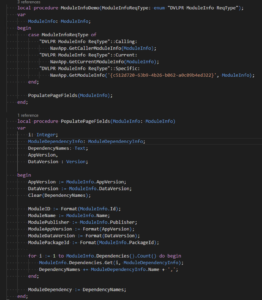
In the AL Language, the programming language behind Microsoft Dynamics 365 Business Central, the ModuleInfo Data Type provides information about an application. I have often used the ModuleInfo returned by the NavApp to check specific application version information.The NavApp DataType includes information about a NavApp and has a few methods that retrieve a ModuleInfo for …
Continue reading
Permanent link to this article: https://www.dvlprlife.com/2022/07/business-central-al-moduleinfo/
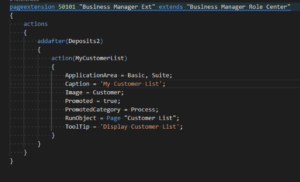
Using the “Role Explorer” in Microsoft Dynamics 365 Business Central, you can get an overview of the features available to your Role. Each of the “Role Explorer” elements is an action, and a means to navigate Microsoft Dynamics 365 Business Central (I have heard this many times referred to as a “menu”).Elements can be added …
Continue reading
Permanent link to this article: https://www.dvlprlife.com/2022/07/add-elements-to-the-role-explorer/
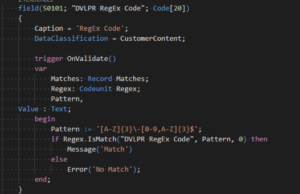
When accepting user input in a field, it may be necessary to validate that the value matches a particular pattern. In early versions of Microsoft Dynamics NAV, you could use the RegEx dotNet libraries to validate input against a regular expression. The RegEx dotNet libraries are not directly available in Dynamics 365 Business Central; however, …
Continue reading
Permanent link to this article: https://www.dvlprlife.com/2022/06/validate-field-pattern-with-regular-expression-in-dynamics-365-business-central/