Microsoft Dynamics 365 Business Central allows users to access their data from a browser, tablet, or phone. The phone and tablet client provides users the flexibility to perform tasks while away from the browser.
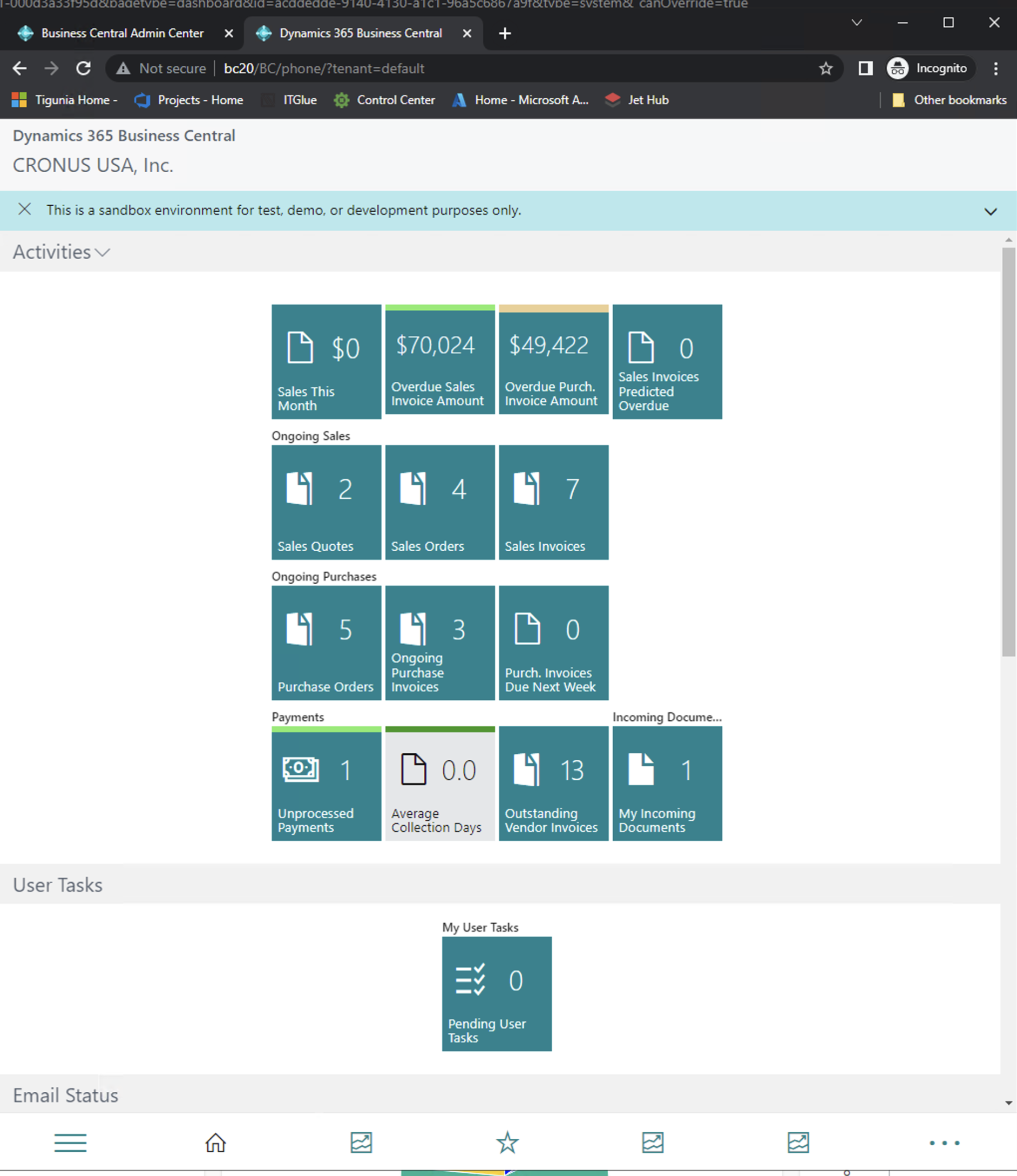 There are several user experience differences between the different clients; The web client is intended for full application use, whereas the tablet and phone client are touch-optimized with the layout designed for the smaller screens.
In a mobile world, when developing a solution, it is crucial to consider the user experience with your Microsoft Dynamics 365 Business Central application on mobile devices. It is possible to open the tablet or phone client from a browser to make it easier to test a solution and consider the users’ experience. Depending on your application’s use and user experience, you may want a separate Role Center for mobile clients with pages with a carefully selected list of actions and fields.
To open the Microsoft Dynamics 365 Business Central tablet or phone client in a browser, append either “tablet” or “phone” after the instance of your Business Central installation.
For example:
Web Client:
	http://bc20/BC/?tenant=default
	http://bc20/BC/?tenant=default&page=22

Tablet:
	 http://bc20/BC/tablet/?tenant=default
	http://bc20/BC/tablet/?tenant=default&page=22
Phone:
	http://bc20/BC/phone/?tenant=default
	http://bc20/BC/phone/?tenant=default&page=22
You can open the mobile client for a specific page, tenant, profile, company, report, or web client address by including the “tablet” or “phone” designator in the address after the instance name.
For more information, see the differences between the Business Central Mobile Apps.
Note: Information in this article is for informational and demonstration purposes only. This content was created referencing Microsoft Dynamics 365 Business Central 2022 Wave 1
 available.


![The extension [extension name] by [publisher name] is making a request to an external service. Do you want to allow this request?](https://www.dvlprlife.com/wp-content/uploads/2022/06/HttpClient-1.png)